Field Service,
Built for the Philippines.
Swift Flow is the field service OS for Philippine service companies, bringing admin operations, technician field work, and free client portals into one connected workflow.
Service company? Start your trial above.
Client or property manager? Your portal is free →
30-day free trial · No credit card required · Admin, technician, and client portals
Built for Philippine service companies
Built around Philippine service operations, from Peso billing to VAT and BIR-ready invoice details.
Running a service company on WhatsApp and spreadsheets?
Jobs, reports, equipment lists, quotes, billing statements, and client updates should not live in separate chats, spreadsheets, and PDF folders.
Lost job updates between field teams and admins
Client requests and follow-ups scattered across chats
Weak report documentation and messy PM equipment records
One platform. Three portals. Zero chaos.
Jobs, recurring PM, reports, equipment inventory, quotations, billing statements, messaging, AI, and client portals in one operational system.
Admin Portal
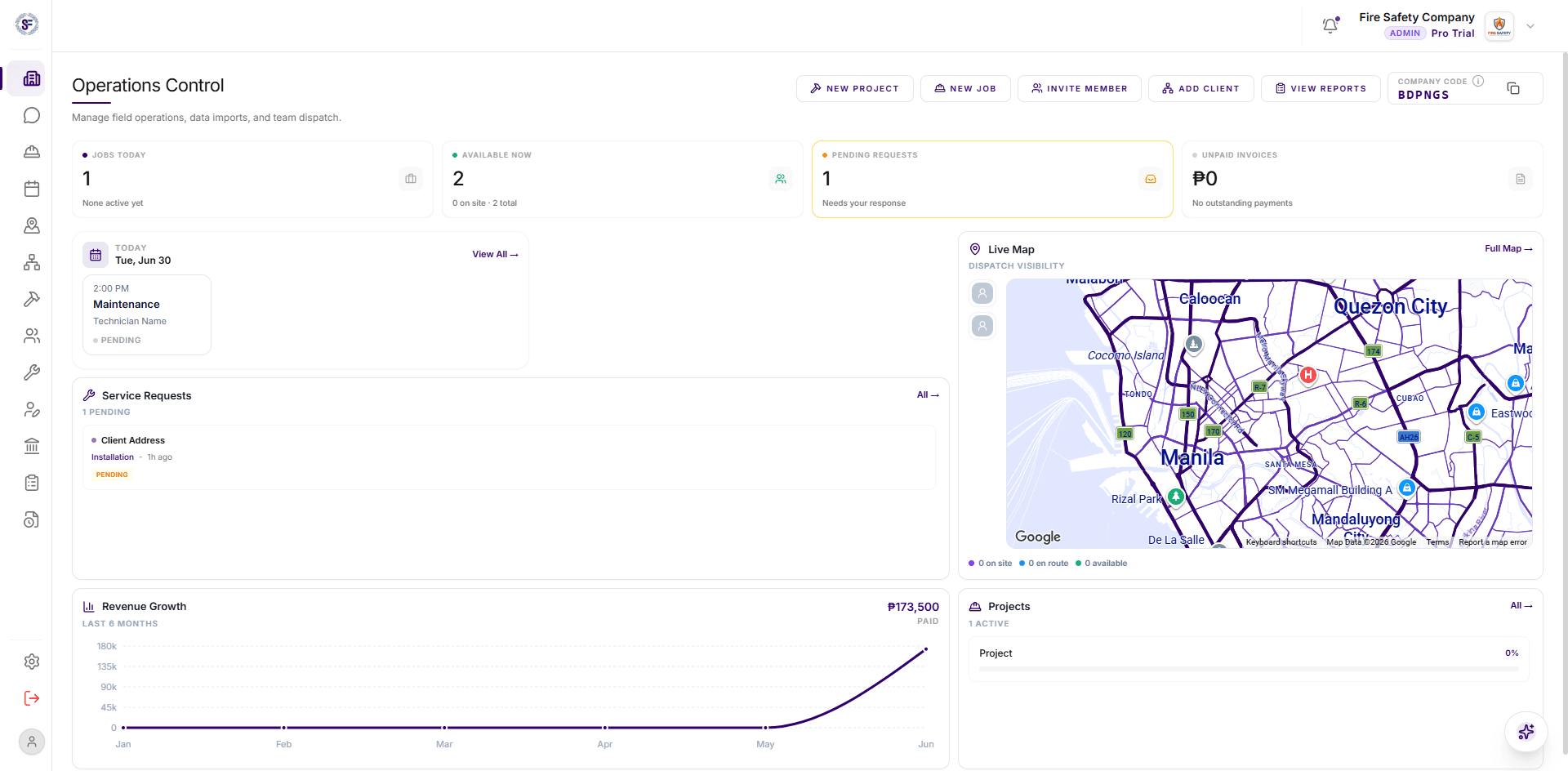
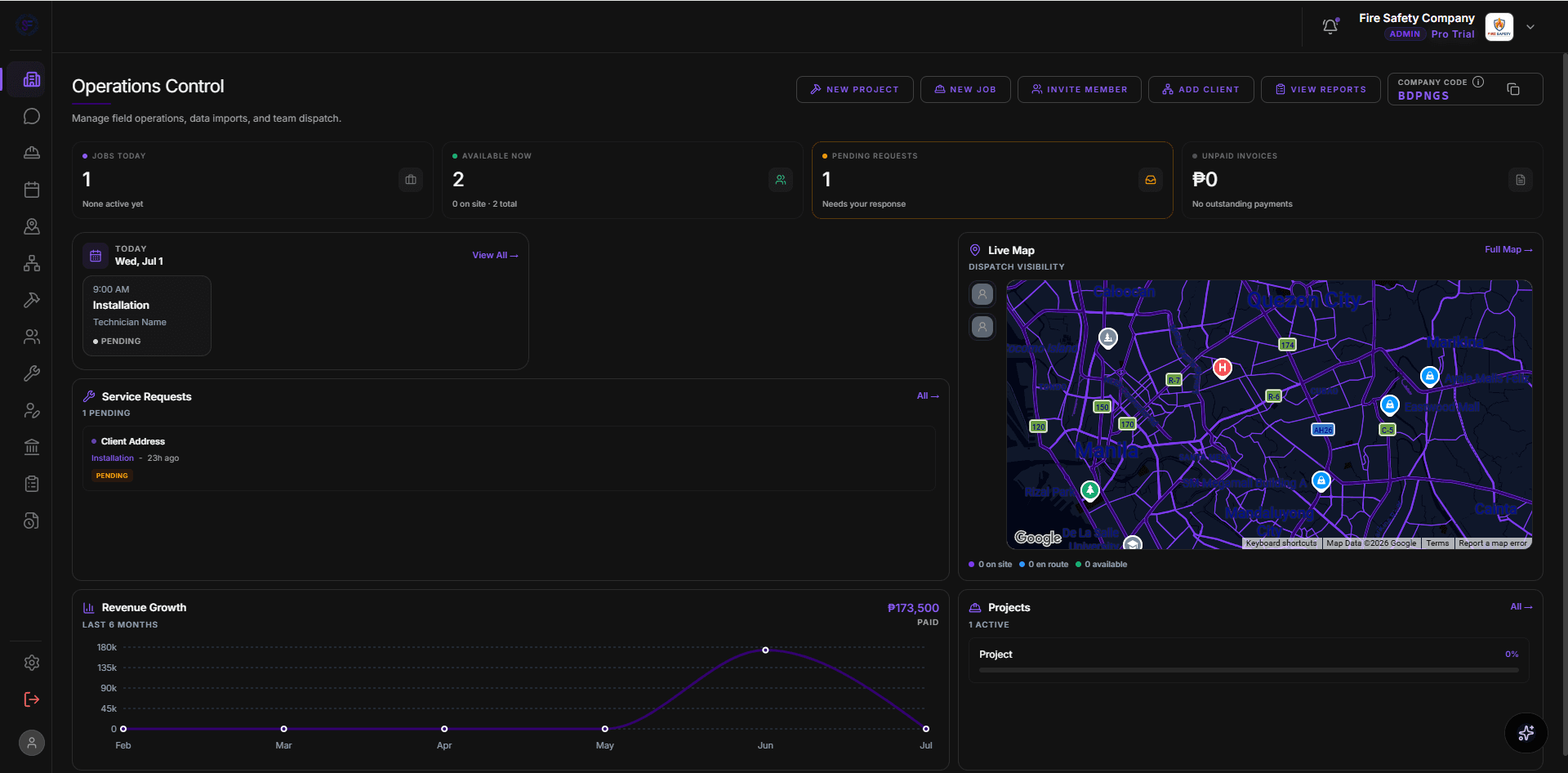
Operations Dashboard and Scheduling
Track today's jobs, active technicians, pending requests, unpaid billing statements, attention items, recurring jobs, and one-time schedules from the admin portal.
Pro Dispatch Map and Emergency Routing
See who is available, who is en route, and who is closest before dispatching urgent work.
From Request to Billing Without Rework
Client requests can become quotations, accepted quotations can become projects or billing statements, and reports stay connected to the job history your team already created.
Preventive Maintenance by Equipment List
Build a permanent equipment inventory for each client, then use it during PM visits so every detector, unit, panel, camera, or asset is checked, marked, and reported properly.
Rhea AI - Your Pro Operations Assistant
Use workspace context, chat, and voice to schedule jobs, assign technicians, create invoices, and get answers about operations from the admin portal.
Technician App
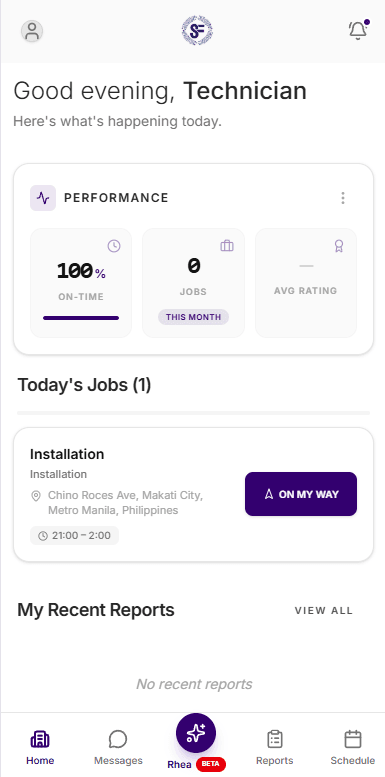
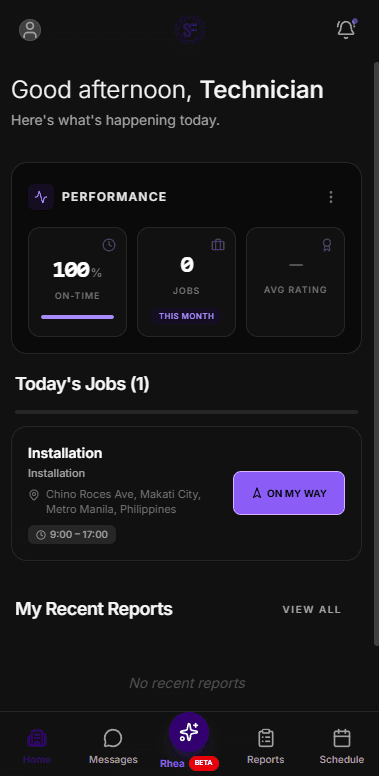
Mobile Job Cards and Schedule
Technicians see today's jobs, assigned schedules, client details, job locations, equipment context, GPS status, and map directions from the field experience.
Offline Reports, Photos, Signatures, and Hours
Field teams can work with cached jobs and reports, queue updates for sync, capture service photos and customer signatures, and view weekly work-hour logs.
Voice Reports Built for Real Field Work
Technicians can speak naturally on site, even in Taglish, and Swift Flow structures the details into professional report fields, findings, actions, PM devices, and recommendations.
Client Portal (Free)
Request Service With the Right Urgency
Clients can send Normal, Urgent, or Emergency requests to linked providers, with service type, description, preferred schedule, and location in one portal.
Approve Quotes and Download Service Records
Clients can review itemized quotations, accept or reject them, download service reports, view billing statements, and keep the full building service history in one place.
Shared Building Access and Equipment Lists
Any active client contact except read-only users can invite building teammates. Primary contacts can manage the equipment list and import CSV/Excel files, while approved contacts share the same records.
The simplest onboarding in the industry.
Connect service companies and clients with a company code, then keep requests, jobs, reports, quotes, billing statements, contacts, and equipment in one shared service history.
Company shares code
Your service company gets a 6-character company code for client portal linking.
Client requests access
The client creates a free portal and requests to link with your company using that code.
Two-way link goes live
Once approved, requests, projects, messages, quotes, reports, billing, contacts, and equipment stay tied together.
After the link: clients can send Normal, Urgent, or Emergency requests, review itemized quotations, download service reports and billing statements, and manage shared building contacts/equipment. Client requests can become quotations, accepted quotations can become projects or billing statements, and reports stay connected to the job history your team already created.
Built for everyone on the job.
Admin Portal
Command your entire operation
Key Capabilities
Technician App
Everything a tech needs in the field
Key Capabilities
Client Portal
Free for all your clients, forever
Key Capabilities
Meet Rhea.
Workspace-aware help for Pro teams.
Rhea supports admin and technician workflows with workspace context, chat and voice mode, scheduling actions, technician assignment, invoice creation, and field-report wording from natural notes.
Rhea AI
Online
Simple pricing. Only service companies pay — the client portal is free.
The Client Portal is always free. Start your 30-day free trial today - no credit card required.
Basic
Lean operations for smaller service teams.
Free for 30 days
- Up to 5 users
- Up to 10 active projects
- 100 jobs per month
- Digital reports and PDF export
- GPS job gate check-in
- Client portal free for clients
- Dispatch and scheduling
- 15GB storage
Pro
Full dispatch visibility for growing teams.
Free for 30 days
- Up to 10 users
- Unlimited projects
- Unlimited jobs
- Everything in Basic
- Live GPS dispatch map
- Real-time technician tracking
- Rhea AI assistant
- Emergency dispatch
- 50GB storage
Enterprise
Custom workflows for larger service operations.
Custom onboarding
- Everything in Pro
- Unlimited users
- Dedicated account manager
- Custom integrations
- SLA guarantee
- Onboarding and training
- Custom contract and pricing
All plans include free client portals for all your linked clients. No per-client fees. Ever.
Frequently Asked Questions
Ready to run your operations smarter?
Start a 30-day trial for your service company, or open the free client portal if you manage a building served by a Swift Flow provider.
30-day free trial · No credit card required · Client portal always free